The right horizon
View short-term accounts, long-term accounts, or all accounts, depending on what you want to review.
 MoneoClaro
IN THE APP · 01 / ACCOUNTS
A balance tells part of the story. Transactions explain the rest. Browse MoneoClaro accounts, from first glance to entering a transaction.
01 — FIND YOUR BEARINGS
Bank accounts, credit cards, savings or loans: find your balances and easily switch from one account to another.
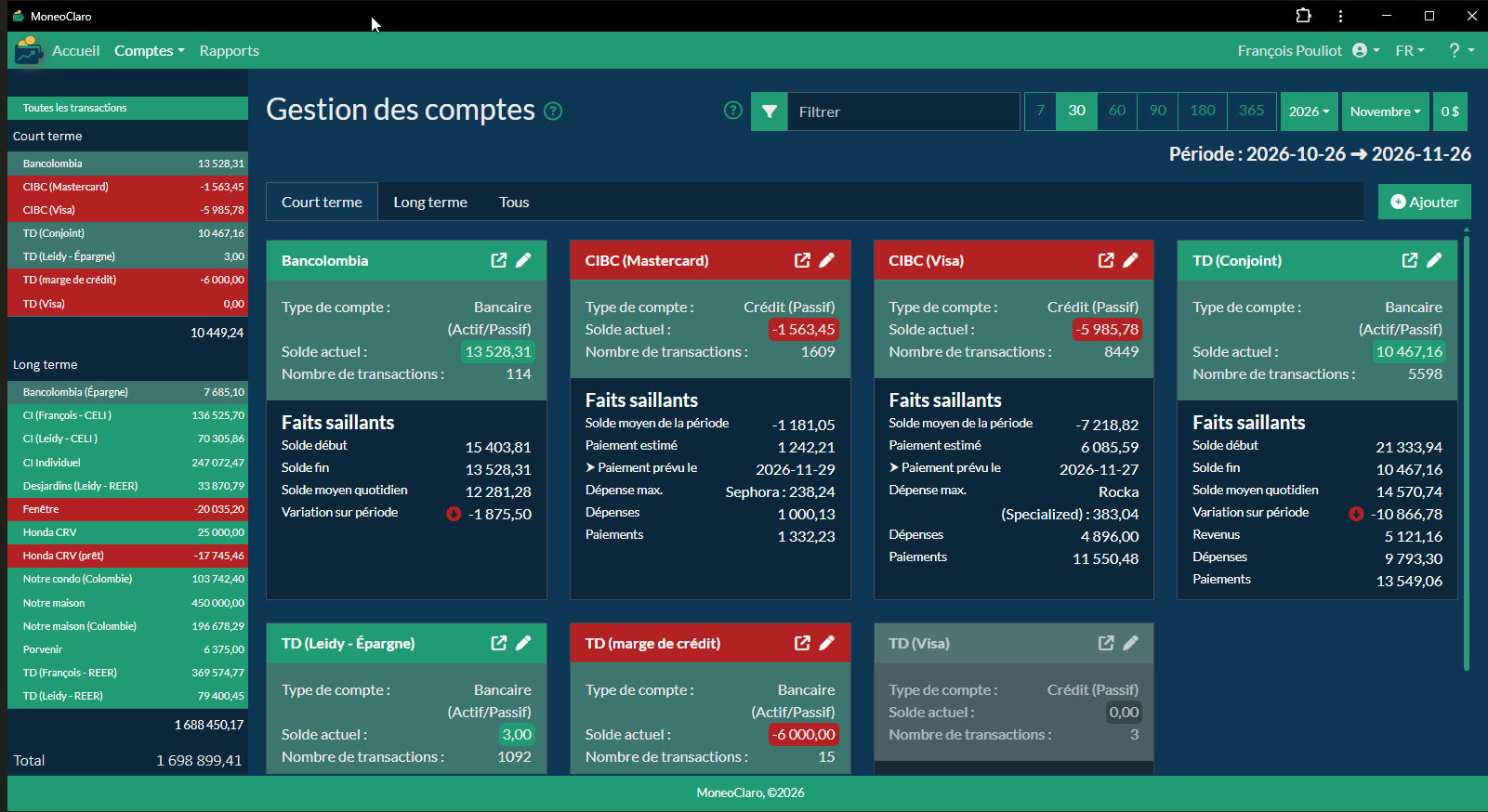
View short-term accounts, long-term accounts, or all accounts, depending on what you want to review.
Use the suggested time periods or month and year selections to put movements in context.
Current balance, number of transactions and highlights: Each card summarizes information relevant to its account type.
02 — UNDERSTAND THE MOVEMENTS
Open an account to find your history, identify upcoming transactions and understand how your balance is changing.
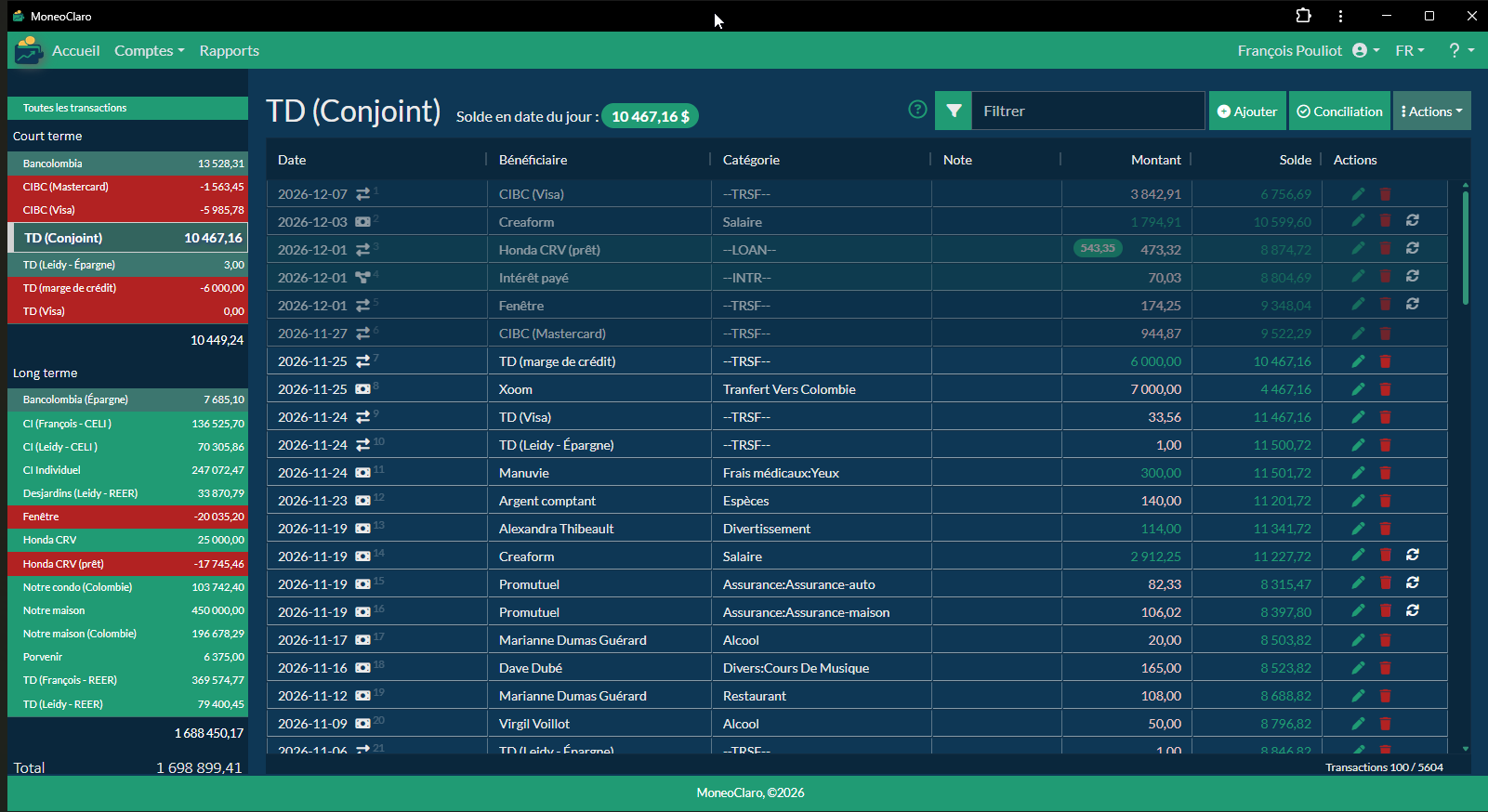
Dates, payees, categories and amounts remain aligned to facilitate the flow of transactions.
The Balance column accompanies each row. The balance as of today remains visible above the grid.
Filter, add, modify or access the reconciliation: the commands are located directly in the account screen.
03 — KEEP TRACKING UP TO DATE
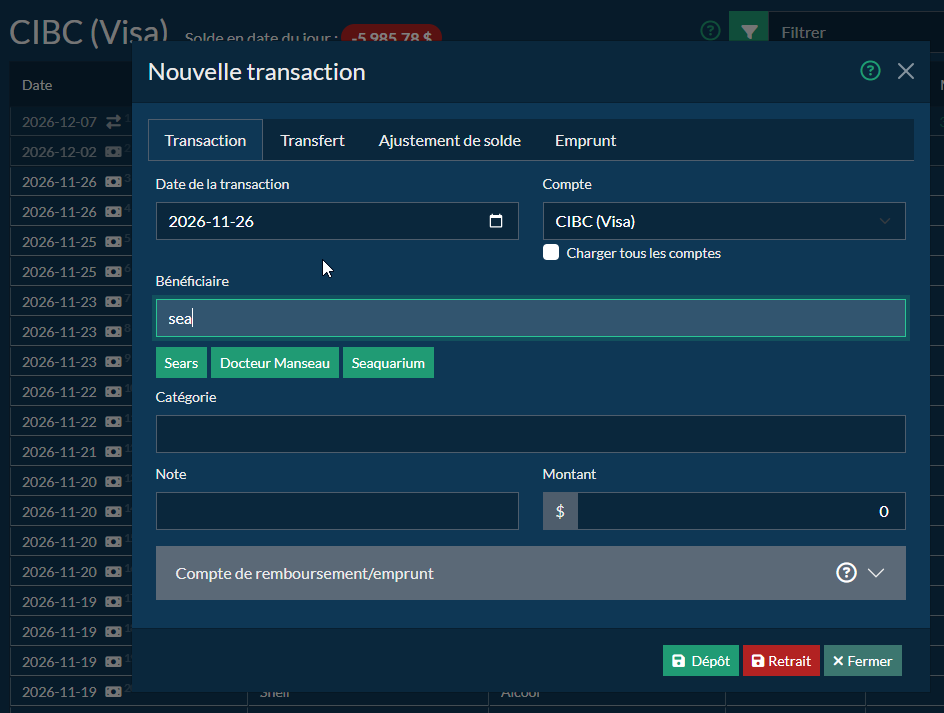
The entry window brings together the elements of a transaction: date, account, payee, category, note and amount.
ACCOUNTS ARE JUST THE BEGINNING
Explore recurring transactions, loans, and net worth tracking as well.
All features